
#DIESE’s DocuSign Integration Now Handles Payment Requests
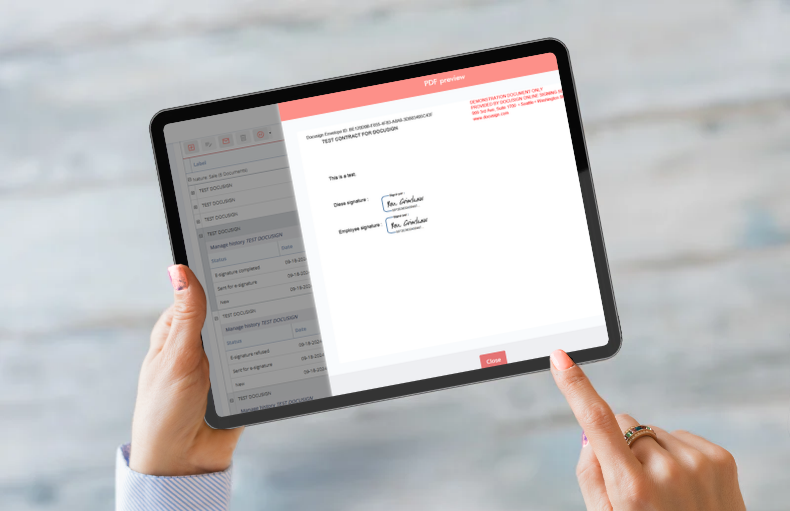
Deposits, balances, change orders: with #DIESE, clients can now sign a document and pay the amount due through DocuSign in a single step. It’s the latest step for a native integration already used by more than a third of organizations on #DIESE.
Sign and pay in one flow
Venue rentals, service bookings, group visits: every sale comes with amounts to collect. There’s the deposit that secures the booking, the balance that closes it, and any change orders along the way. Yet signing and paying are often two separate steps.
DocuSign payment requests bring them together. The client signs the document, then pays the amount requested without switching platforms. For the organization, each payment is recorded as soon as the document comes back.
How it works in #DIESE
It all starts with the sale’s payment plan in #DIESE, which sets out each amount due—for example, a 50% deposit followed by the balance. From there, the process is simple:
- When sending a document for e-signature, the user selects the amount to be paid.
- DocuSign sends the document to the client, following the signing workflow set up for it.
- The client signs. A payment window opens right away, and they pay the amount shown.
- The document returns to #DIESE, linked to the sale, with an updated status.
Every payment request follows the same path, whether it’s a deposit, a balance, or a change order adding services to the original booking. If it has a dollar amount, it can go through DocuSign.
#DIESE never touches the payment
Payments are handled entirely by DocuSign: #DIESE simply tells DocuSign how much to request. No banking data passes through #DIESE. Each team keeps its own tool. Finance tracks payments in DocuSign, while sales and events teams manage their bookings in #DIESE.
At the George W. Bush Presidential Center, for example, this process supports every group booking. A first send covers the 50% deposit, and a second covers the balance. It’s common practice across North America, especially for venues that rent out their spaces.
DocuSign, #DIESE’s main e-signature partner
This new feature builds on a proven integration. DocuSign is #DIESE’s main e-signature partner, first and foremost because of how deeply the two are integrated.
This is more than a simple connector. DocuSign updates #DIESE in real time as each document progresses, and automated tasks back up that tracking. Statuses update on their own, with no manual input. Expired requests are handled automatically too.
DocuSign is also a widely adopted, well-documented standard. As a result, the integration can keep evolving and improving over time.
Contracts: the core of the integration
Contracts remain the most common use of DocuSign among organizations on #DIESE. The document is generated from the contract record, using information already entered in #DIESE. It then goes through a configurable signing workflow:
- Multiple signers can be included
- Reviewers can read the document without signing it
- Automatic reminders go out if a signature is pending
Once signed, the document returns to the contract record, where it’s filed.
Sales and bookings follow the same logic. A single workflow can bundle several sale-related documents: quotes, deposit documents, and terms and conditions. Organizations using it praise its reliability.
Training, equipment… and other processes
E-signature also extends to documents attached to other records in #DIESE. In HR, for example, it’s used for training records and employee reviews. It also works for equipment receipt forms. The Théâtre du Châtelet in Paris uses it for both these needs. Other processes, specific to each organization, can follow the same path.
Want to take it further?
Would you like to send DocuSign payment requests to your clients, or extend e-signature to new processes? The #DIESE team would be happy to talk it through.